


 个人中心
个人中心 我的消息
我的消息 我的收藏
我的收藏 账号设置
账号设置
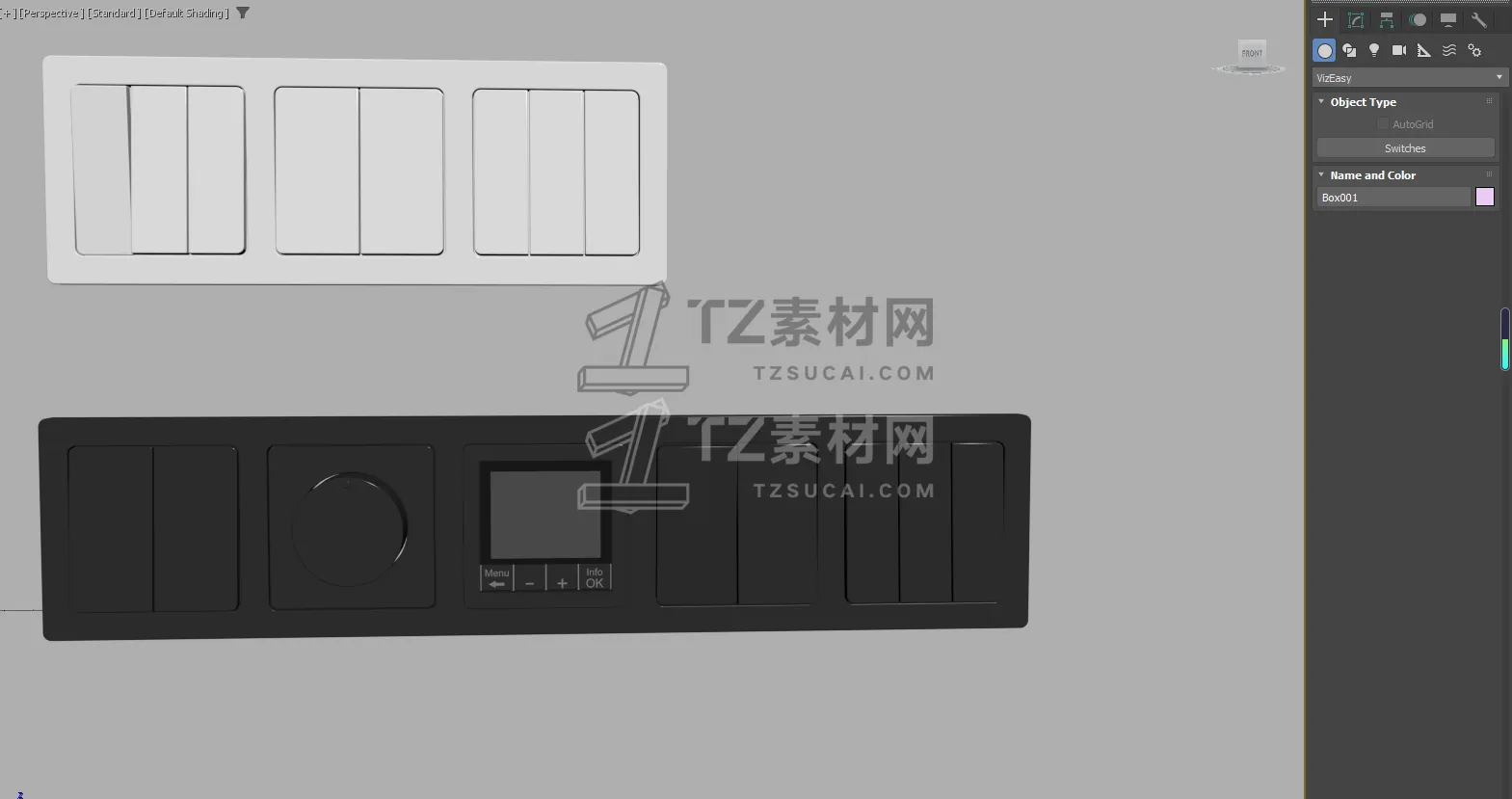
VizEasy Procedural Outlets & Switches for 3ds Max (PRO - max一键添加插座面板插件)
Start Adding Essential Details
Looking to effortlessly add foundational electrical details to your 3ds Max scenes without the complexities? This free tool is your perfect starting point! The VizEasy Procedural Outlets & Switches Lite script for 3ds Max allows you to instantly place and customize realistic electrical fixtures, bringing a new level of precision and visual believability to your architectural visualizations.
No more manual modeling of basic elements – embrace a more efficient workflow. This powerful script helps you save valuable time, letting you focus on the creative aspects of your design.
Compatibility:
Works seamlessly with 3ds Max 2024 and higher.
Fully compatible with V-Ray and Corona rendering engines.
Key Features & Benefits (Lite Version):
Seamless Placement:
Instant Placement: Simply click on any wall to instantly place an outlet or switch precisely where you need it.
Customization & Design:
Frame Design: Features one modern, universal frame design that seamlessly adapts to your aesthetic.
Flexible Orientation: Easily switch between Horizontal/Vertical frame orientations.
Frame Invert: Invert the frame horizontally or vertically for perfect alignment in any scenario.
Socket Count: Select the Number of Sockets in the frame, with a maximum of 2 sockets.
Diverse Socket Types: Integrate various Socket Types, including Blank Panel, 1 Switch, and 2 Switches.
Material Control:
Material Options: Choose your Frame Material and Socket Material in black or white.
兼容性:
与 3ds Max 2024 及更高版本无缝兼容。
完全兼容 V-Ray 和 Corona 渲染引擎。
主要功能和优势(精简版):
无缝放置:
即时放置:只需点击任意墙壁,即可立即将插座或开关精准放置在您需要的位置。
定制和设计:
框架设计:采用现代通用框架设计,可无缝契合您的审美。
灵活方向:轻松切换水平/垂直框架方向。
框架反转:水平或垂直反转框架,在任何情况下都能完美对齐。
插座数量:选择框架中的插座数量,最多 2 个。
多样化插座类型:集成各种插座类型,包括空白面板、单开关和双开关。
材质控制:
材质选项:选择框架材质和插座材质(黑色或白色)。

对素材有疑问?
发布提问
- Microsoft Visual Studio 微软常用运行库合集 2025.06.19
- UltraSearch Pro 文件搜索工具
- 【VR5.0005渲染器】VRay 5 for 3ds Max2020汉化版下载与安装方法
版权说明:
会员在本站下载的素材,只拥有素材的使用权,著作权归原作者及我网所有
未经合法授权,会员不得以任何形式发布、传播、复制、转售该素材。
如若您的权益被侵害请联系。

 7407
7407 0
0

 在线客服
在线客服



