欢迎使用 Maya 2026.3 Update。您可以从 Autodesk Account 访问 Maya 2026.3 Update。
这些发行说明介绍了 Maya 和/或 Maya Creative 中包含的已知限制、问题和修复。要了解新功能和更新的工作流,请参见 Maya 2026.3 Update 新特性和 Maya Creative 新特性。
动画
Changes are not reflected on the mesh when undoing rig translation MAYA-138046 |
Abnormal geometry behavior when using DQ skinning and non-rigid transformations MAYA-140317 |
ATOM Import is creating keyframes on undesired objects MAYA-140209 |
Invisibility evaluator in the Evaluation Toolkit can cause a crash when display layers are toggled on and off MAYA-139790 |
Graph Editor crash when deleting a key if Infinity option is enabled on Apple Silicon macOS MAYA-139733 |
.outSmoothMesh not evaluating correctly on reorder MAYA-138737 |
Custom evaluator cleanup causing errors and crash MAYA-138558 |
Cycle error when toggling visibility of evaluators MAYA-132973 |
Playblast from Camera Sequencer does not play multiple sound files MAYA-129757 |
基础
Joints offset in viewport when selecting channel values in Channel Box MAYA-139767 |
Unexpected copying of values in the Channel Box MAYA-139766 |
dataStructure command returns redundant duplicate warnings MAYA-139305 |
Error occurs when switching between compressed and non-compressed references MAYA-138991 |
setProject failing to find savePref command in batch MAYA-138733 |
建模
Manipulator pivot affected by locked channel MAYA-139171 |
Multi-cut tool preview is not correct on smooth mesh MAYA-137522 |
绑定
Data loss with math nodes after saving MAYA-140532 |
The falloffEval node does not update when connected geometry changes and lacks support for NURBS MAYA-140371 |
Rig with negative scaling is broken when opened in Maya 2026.1 MAYA-140177 |
UI
TTF SVG icons cause error for non-SVG pixmaps MAYA-139274 |
Unintentional renaming of last node selected MAYA-137350 |
Script Editor hangs in QTextDocumentLayout::doLayout MAYA-136136 |
视口
Improved playback performance of MPxGeometryOverride when compared to regular Maya meshes MAYA-137567 |
此部分列出了 Maya 和/或 Maya Creative 的已知限制以及各种可用的解决方法。
Linux 上的 MtoA 5.5.4.2 导致 MaterialX 文件出现问题 MAYA-140974
解决方法:删除 MtoA,然后安装 MtoA 5.5.4.1 或 MtoA 5.5.5。 |
拖动的驱动关键帧会删除其他驱动关键帧 MAYA-140229
解决方法:在拖动关键帧之前取消选择“时间捕捉开/关” |
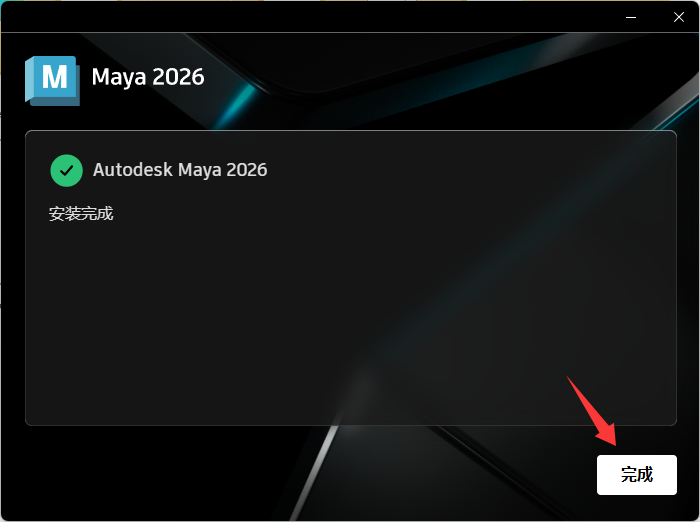
“开始”按钮在 Maya 2026.3 安装程序上不起作用 MAYA-140727
解决方法: 安装后,关闭窗口并照常启动 Maya |
Autodesk Flow 桌面服务在安装后不会自动启动 MAYA-140752
解决方法 从 Windows“开始”菜单 >“Autodesk”>“Flow Service”手动启动 |
GPU 覆盖:设置了肌肉的角色不再设置动画 MAYA-140942
解决方法: 在“首选项”(Preferences)窗口中禁用“GPU 覆盖”(GPU Override)。(选择“窗口>设置/首选项”(Windows > Settings/Preferences) >“首选项”(Preferences),然后在“动画”(Animation)首选项“求值”(Evaluation)部分下,禁用“GPU 覆盖”(GPU Override)。) |
如果在“属性编辑器”(Attribute Editor)中选择“增量节点属性”(Delta Node Attribute),则在加载 freeze.mll 时发生崩溃 MAYA-140961
解决方法:目前没有解决方法 |



*有问题的链接ID:

再次使用微信扫一扫授权登录




 个人中心
个人中心 我的消息
我的消息 我的收藏
我的收藏 账号设置
账号设置
 普通下载
普通下载 悬赏问答
悬赏问答

 在线客服
在线客服

